Monday, October 7, 2019

Multi-Dimensional Background with Molding Paste

Final Product.


Resources needed:
  • card stock or other porous surface to work on
  • molding paste
  • textures: no need to buy anything. Use lids, crinkled paper or plastic, cut zig zags or curves into cardboard edges, bubble wrap, etc.
  • tool to apply paste-- plastic knife/spoon, popsicle stick, putting knife
  • acrylic paint assortment
  • brushes, stencil brushes, sponges, etc.
  • optional: small do dads: beads, pieces of ribbon, wire, chip cardboard pices, cardstock cutouts, puzzle pieces, scraps of pink, 


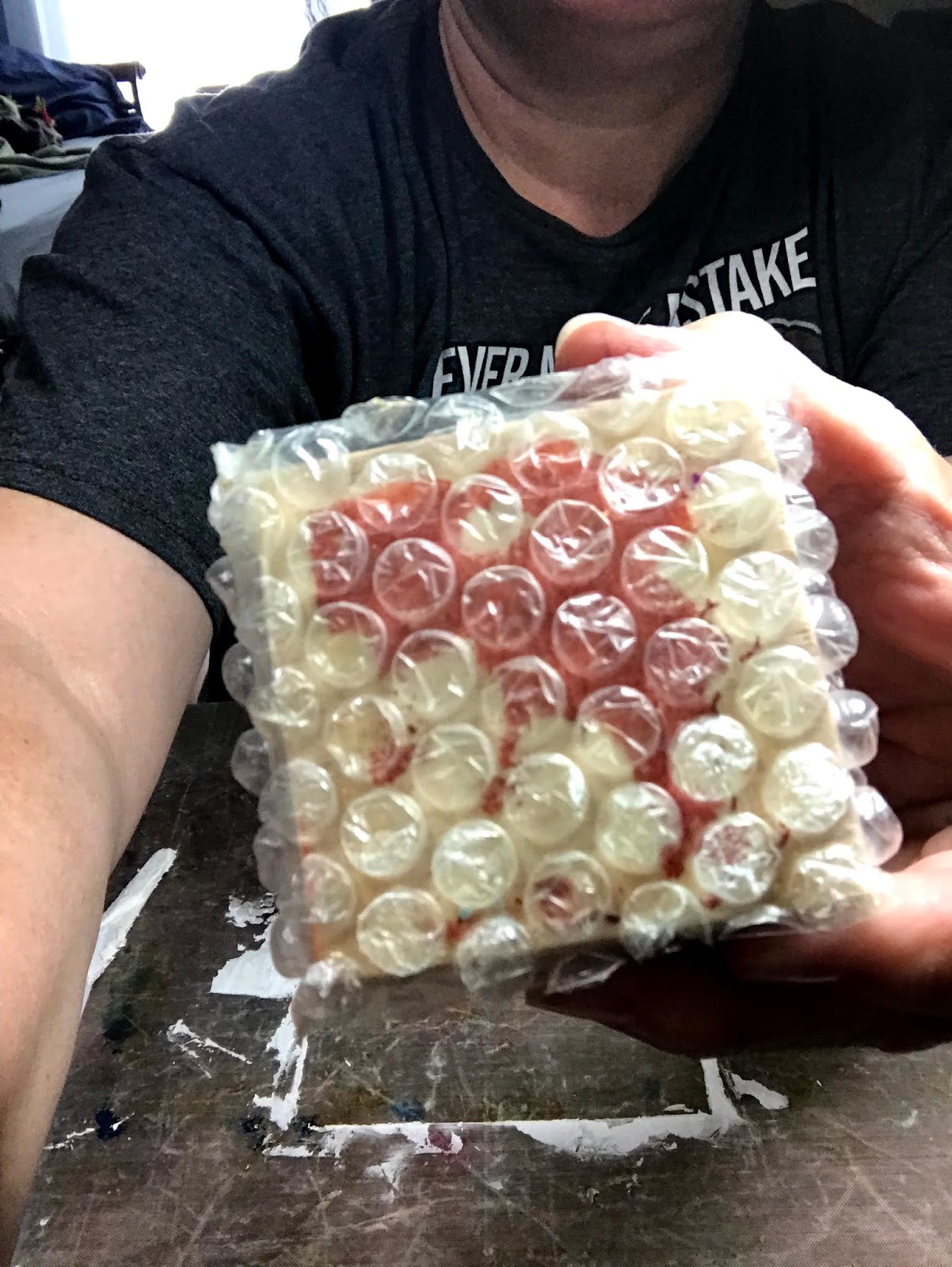
 Textures wrapped and secured around wood blocks. Something new I'm trying.


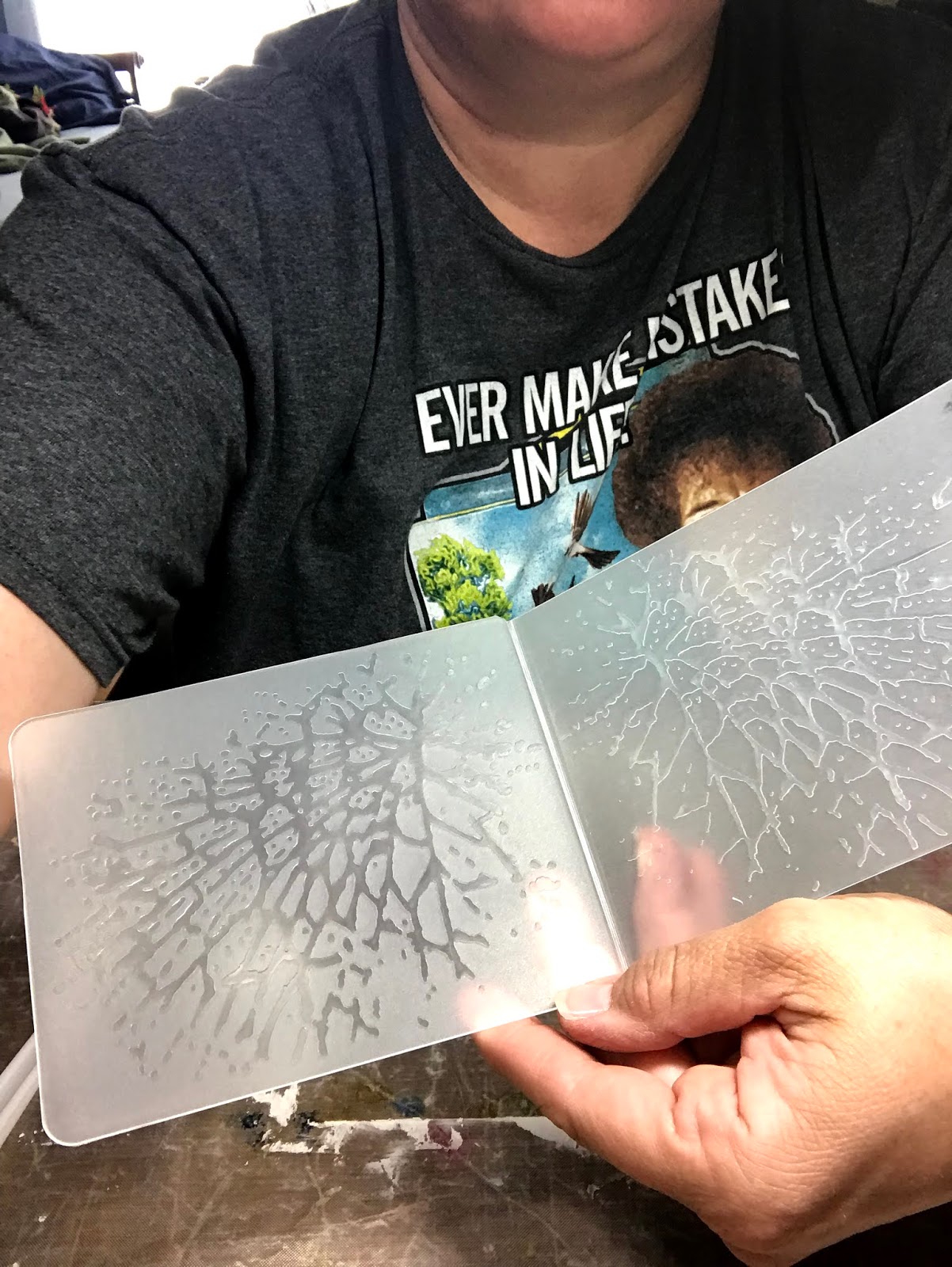
Embossing folders create dimensions/textures as well. Also going to press small beads into the molding paste.

Liquitex molding paste. Matte finish.


Secure the card stock to the work surface or use a non-slip surface. Kraftex (paper fabric) works well too. Any surface that is porous.

Glopping the paste on the card stock. I use a pice of card stock that when cut would make 3 or 4 trading cards. Size will affect available working time while paste is drying.

Once applied, the surface doesn't have to be smooth but needs to be relatively evenly applied so I used a ruler. Overall about 1/16 to 1/8 inch works well for impression depth. 

IMPORTANT: Before stamping, the paste needs to set-up for a few minutes. If touched, the paste should not stick to your finger-- too wet. A craft heat gun can expedite the set-up process. If it is too dry, the paste will not take the impressions. 


The impression on the left is perfect. The right side was still too wet 
and the paste stuck to the folder, but still makes a cool effect.
 

I love the screen texture.

Embossing folder impressions. Definitely want to toss used folders in a tub of water. Once the paste dries on the folder, it is more challenging to clean it from the folder crevices.


I used the flat side of the embossing folder to press beads into the paste. 
If they do not stick, spritz the surface lightly with water to moisten the paste and press again.


Find a safe place (away from kitty cats) for the paste to dry.


Once dry, apply acrylic paints with brushes or sponges. I used a metallic paste to make the beads and other raised dimensions pop. Multiple layers can be applied until the effect is achieved. Let each layer dry before added the next unless blending is wanting.

Easier to measure & cut from the back side. 

Determine which direction for best layout, and add additional color where needed on each card.
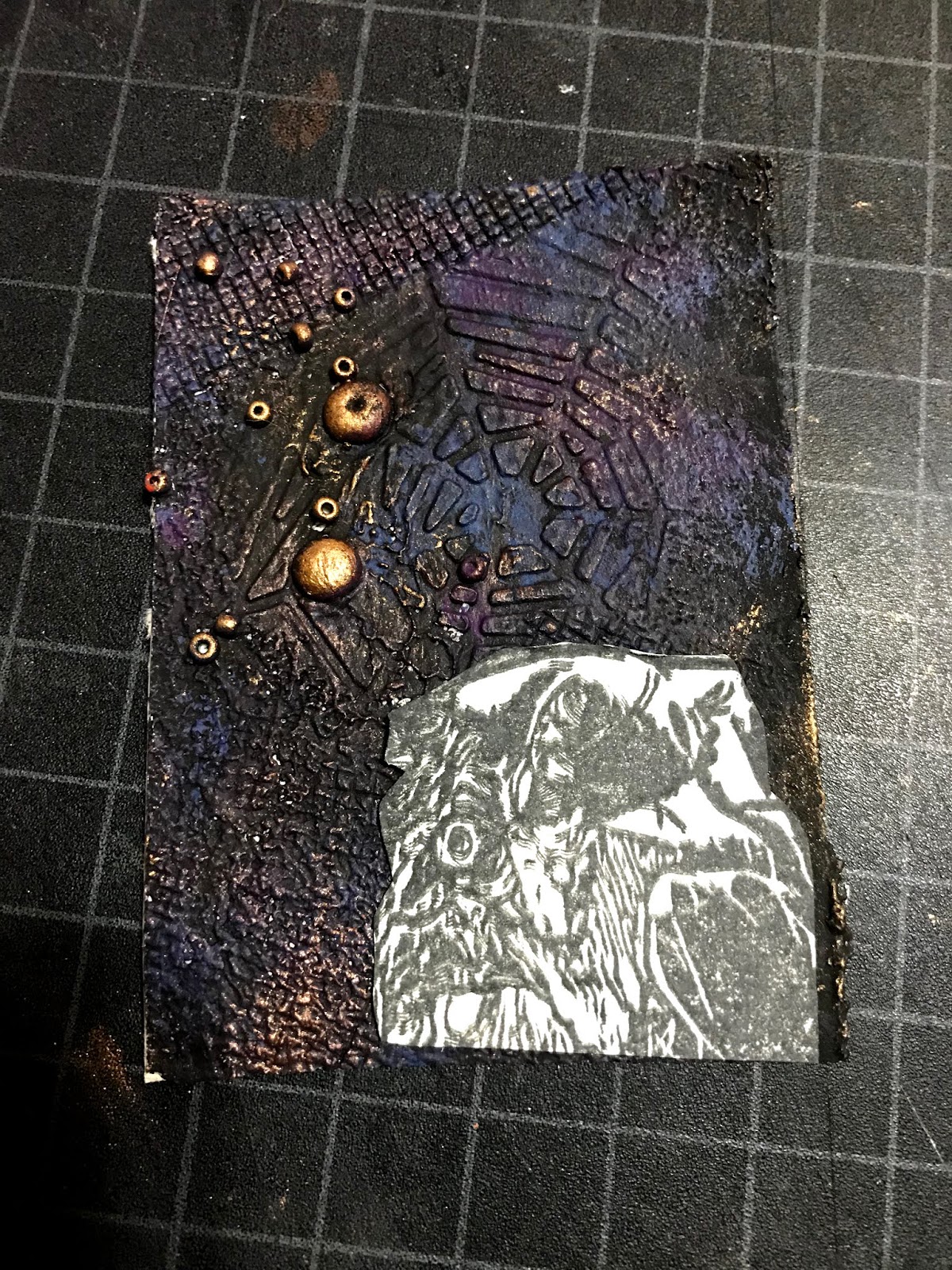
Lots of coloring and fussy cutting ahead to prepare the main image (witch.)

Distress the edges of both the witch cutout and the card with black ink, and adhered the witch with an adhesive foam square. A white edge of an unfinished piece poking its head out takes away from the overall appeal. 

Saturday, June 22, 2019

MEDIA BINGO

Push yourself to experiment with your letterbox (artist) trading cards.

Acceptable Plays include: row, column, diagonal (4 or 5 squares,) four corners

**Design/Layout**
*Cardstock is a free media to use.
*Make your best decision if your media fits within one of the categories.
*Recycling a previous carve is okay as long as a newly designed LTC is created.
*A finished card should be less than 1/4 inch thick. 
*Be sure that all card elements are secured, especially glitter or flocking.

Saturday, February 23, 2019

Partial Embossing & Masking


Image result for bigkick

Linden Leaf set-up four LTC trackers to encourage using a new product or an underused product already purchased. Participants chose anything from gelatos and gesso to stencils to oxide and distress inks and more. I chose to work with my embossing machine which is a BIGkick along with the embossing folders and die cuts. 


The finished card titled Teal Silhouette. It features partial embossing and masking. My favorite video tutorial for these procedures: https://www.youtube.com/watch?v=IPaUNDtudzk
with thefrugalcrafter Lindsay Weirich


I began by creating a window template to use with the selected embossing folder from a double layer of cereal box thick cardboard. (You can buy these window templates too.) I tested a few other cardstocks/boards and this worked the best. I cut pieces larger than 2.5x3.5 pieces.


Using a diecut (the metal oval) I cut each layer of the cardboard with the BIGkick then lined up the ovals and glued them together. Once glued, I centered the oval and cut to just larger than 2.5x3.5. Larger would have been better in hindsight as I could have reused my template for greeting cards.


Next, with the pre-cut white cardstock  in the folder, I strategically taped the stencil to the outside of the folder. Find a way that works for you as long as the cardstock and template line up. Then I ran it through the machine. I had to test the pressure to find the right amount and adjust the machine plates


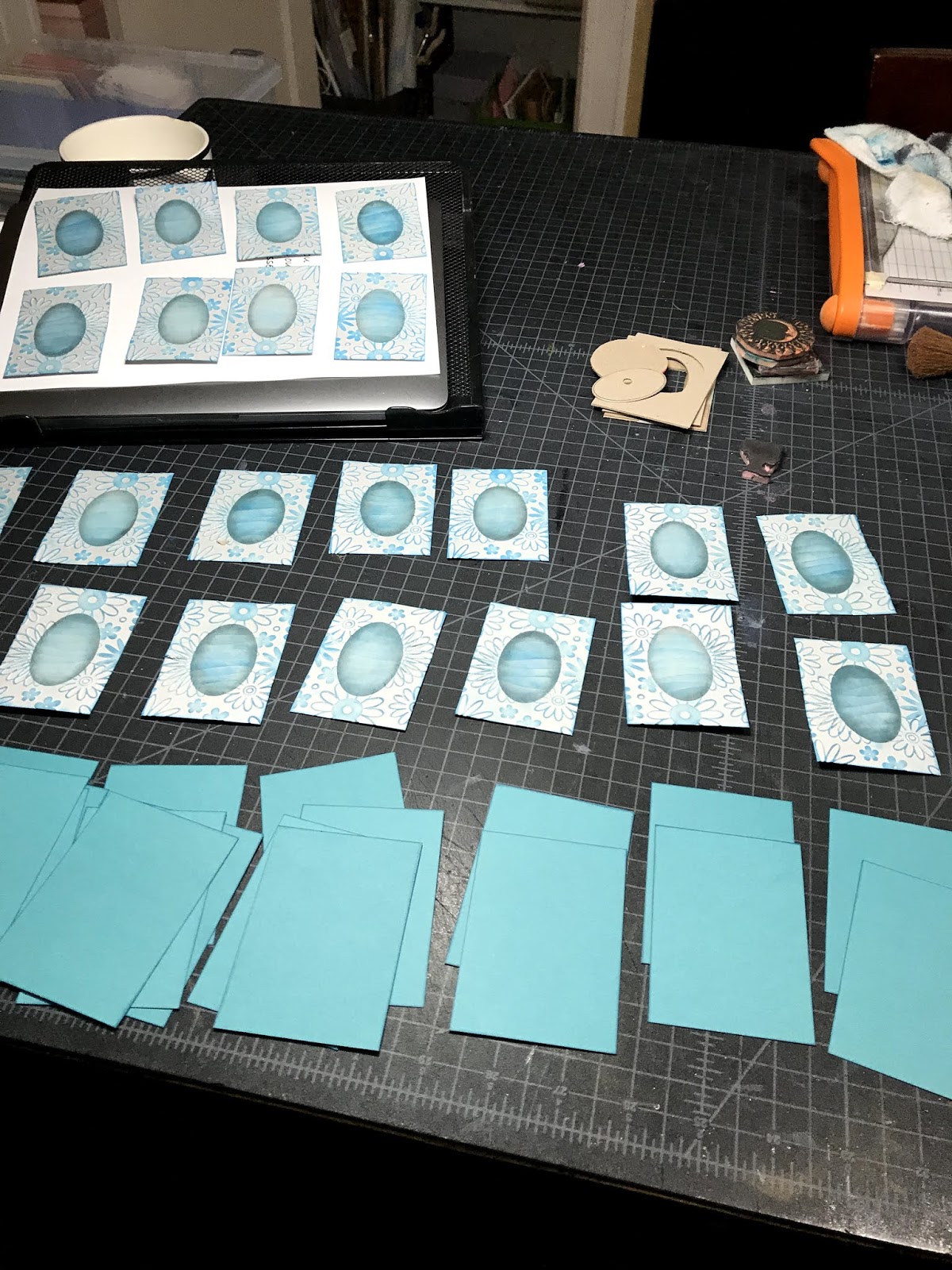
Wha la! an embossed card with a window. Now, repeat about twenty times.


I'll admit I don't plan all this out as I go. There is a lot of trial and error (and some cursing.) I decided to color the silhouette teal, which got me thinking why didn't I just cut a teal oval from cardstock and place it over an embossed card. All that aside...

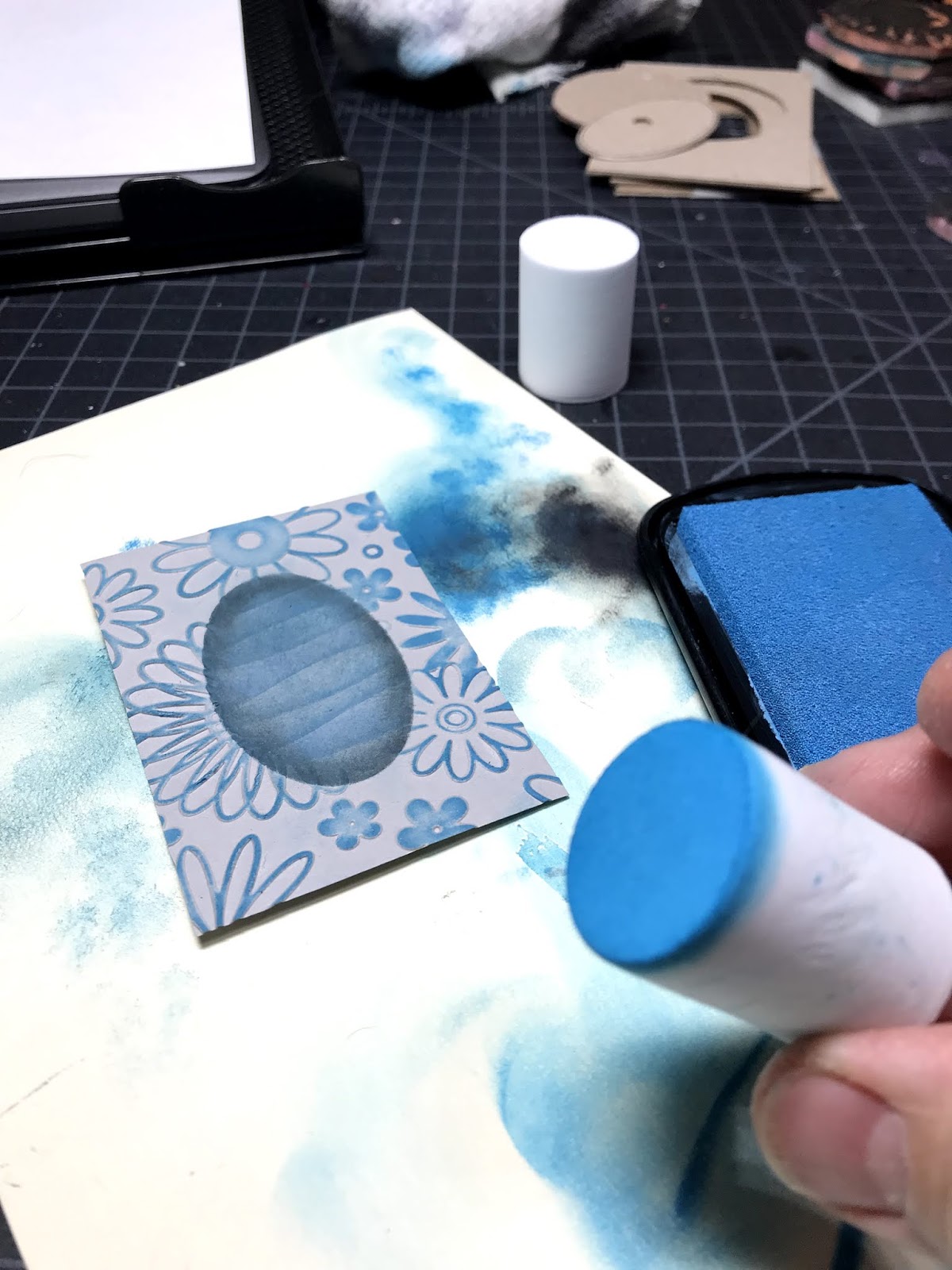
I wanted the inked area to have depth so I used a variety of blues. (I was inspired by the video lady's winter scene.) To protect the embossed area from the ink pad, I created a stencil to use as a mask. Well, I did what the lady in the video told me to do.

With the mask taped (I tried magnets too) in place on my work surface I aligned the embossed card beneath and distressed the oval with a stenciling brush. I used a cut wave pattern, just like the video lady. Brushing upward each time, and moving the wave edge down and sideways for another color. 


 .          .          
Once inked with the blued, I gently added black around the inside edge to create a shadowed frame. (Just like the video lady. )


To emphasize the raised embossed area, I decided to buff the surface with these marshmallow -shaped sponges. I found them at the craft store in Shipshewana-- The Stamp Shop-- when I was there for an LTC retreat. (Shamelessly plugging.) They are dense enough not to smush into the low areas of the embossing.


Always, always buff the edges of cards to frame them. Keeps the observers' eyes trained to the work. I use a black pigment ink pad.


With all the edges buffed, I stamped the woman's silhouette. And finally taped the embossed layer to the matte. One final touch was to outline the teal silhouette with a clear shimmer brush.


Now, I'm exploring more ideas for using my BIGkick machine with its folders and diecuts for the second  round of New /Underused products, and LTC swap.

Learn more about LTCs--Letterbox Trading Cards-- at AtlasQuest:  https://www.atlasquest.com/about/glossary/l/#ltc


Friday, September 21, 2018

Simple Technique 1: Edging Cards

My favorite simple technique is to color the edges of the cards including matted layers. This quick and easy technique frames the card and keeps the eyes from wondering off the card. 

I use a marker for a crisp edge and for a softer edge, I buff the cards edge gently on a pigment ink pad (dryer the better.) Take a look at the results. Pay attention to where your eyes want to focus on each card. 


Simple Techniques 2: Add Color

Another easy technique I like that makes an impact is adding some color. I enjoy working with chalk as it is more forgiving than markers and mistakes can be erased with a pencil eraser. It also quickly covers large areas and is easy to blend. I often use it for large areas rather than marker or paint. I like the smudgy look because it creates dimension and even movement in the image. Here is an example.

  • Chalk can easily be erased with a pencil eraser. 
  • I do not seal the chalk with a fixative or other product since I'm not using a lot of chalk nor layering. 
  • Extra balls can be made from cotton balls or I purchase white balls from the pom pom section at the craft store.


Here are a couple cards from my collection that the artist simply added color and the carving came to life!
by Sunia
by Linden Leah


Tuesday, January 16, 2018

Splattered


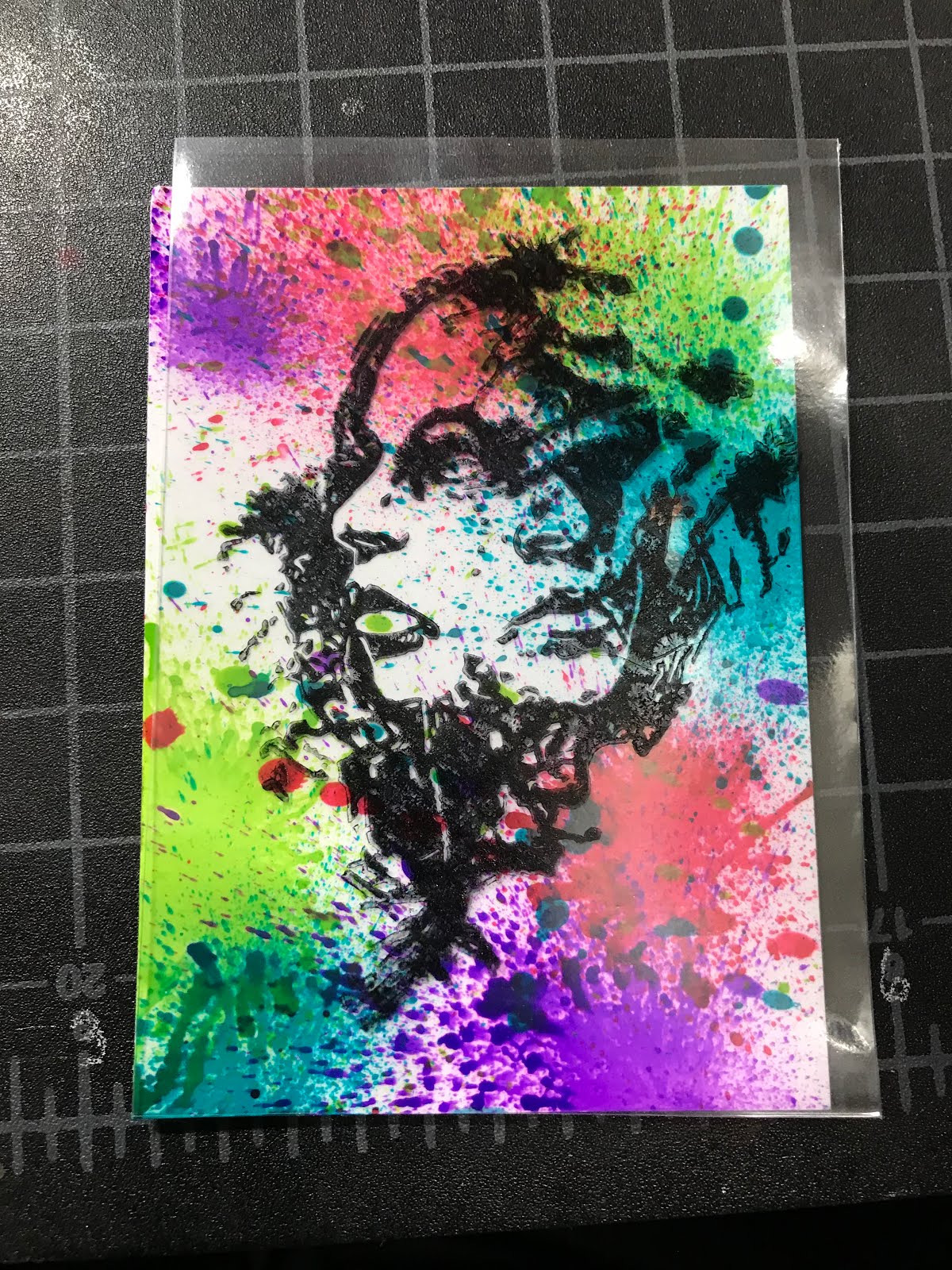
I wanted to create a background similar to the original artwork (left) by Canadian artist Jeremy Scott.

I decided to try splattering paint so the first steps would involve choosing the right cardstock and paint or alcohol ink. After playing with acrylic paint and Canson 140 paper, I explored alcohol ink with glossy cardstock (which was actually photo paper.)


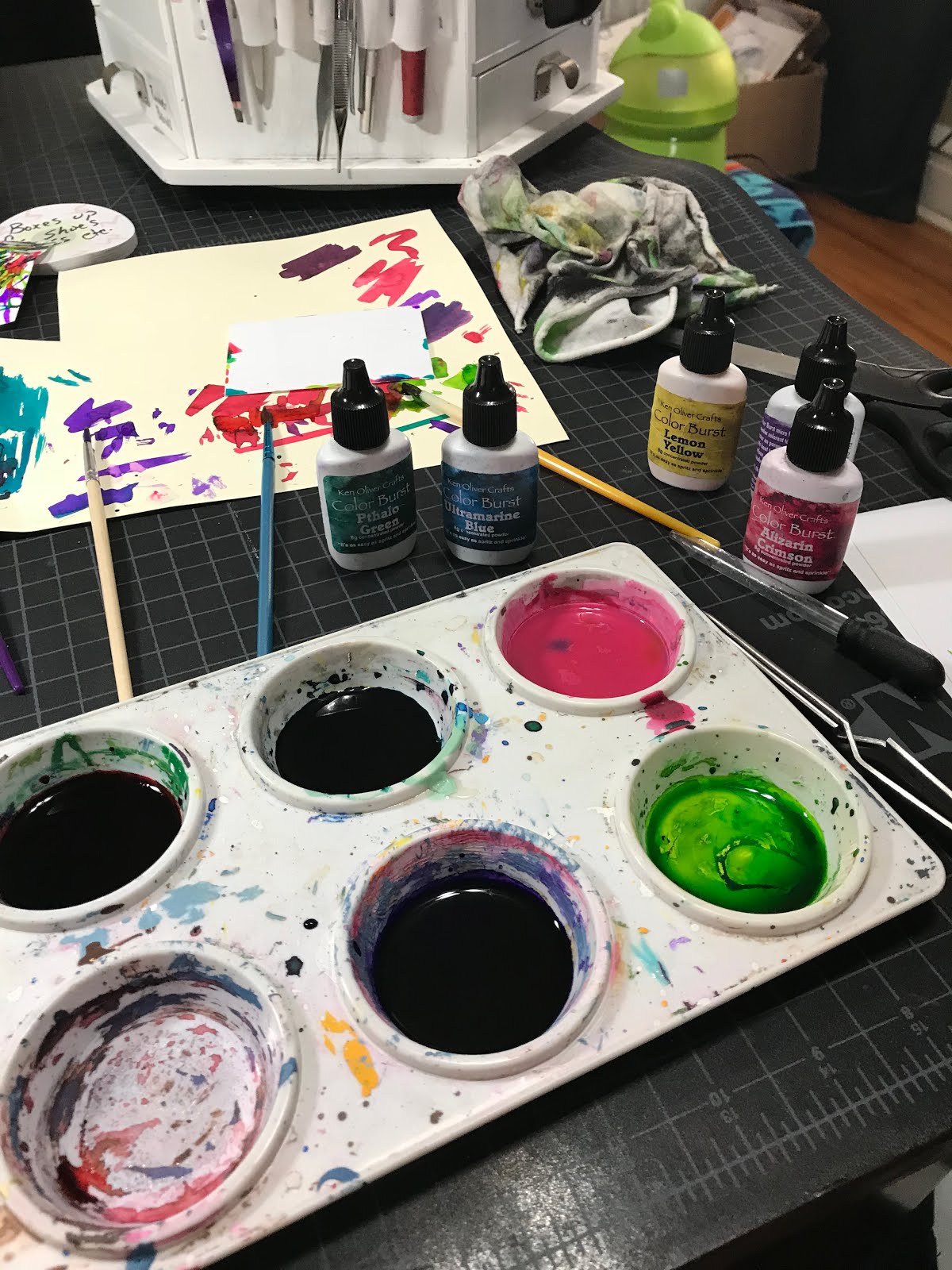
Then, I tested Color Burst-- a concentrated watercolor powder (see pict.) With each test, I also had to determine whether the liquid color would move on the card to create the splatter effect and whether the medium would dry and not smear. I was pleasantly surprised that the Color Burst liquid (water + powder) dried and adhered without problems. Plus, I loved the brilliant color.


During first attempts, I strategically placed a drop of the watercolor on the card. I blew through a straw directly downward at the drop.


It was easier to work through half a straw.

ter a few trial and errors, I began mass producing cards. It was easier to work through half a straw.


The direction of the starburst could be controlled by angling the straw.


I was happy with the results. With the exception of that splotch in the middle of each starburst. Many of those faded when drying.


I added another step to the process as I wanted more random splotches. Using my recycling bin, I arranged cards and then whipped a paint brush, wet with the Color Burst, across the cards.


I have no idea why I changed my splattering method, but instead of placing a drop of paint on the card with a brush, I blew directly onto the brush. The intensity of the air burst  as the distance the brush is from the paper affected each outcome. In a sense I was now air-brushing. Notice the cool apron which is a good idea when splattering paint.


The top two purple splatters were done by blowing directly onto the brush as seen in the picture to the left. The DROP is the first method I used.


Final backgrounds. I like how each card has its own personality.


Now to add the stamped image.

Surprisingly, Versafine pigment ink dried on the prepped photo paper and without smearing. I pre-tested both StazOn and Versafine on messed up splattered cards.

I marked my oddly shaped carved stamp so I could easily line it up on the cards (left.)

Next, I stamped a plastic LTC sleeve with StazOn to help me determine stamp placement on each card. (StazOn adheres and dries on the sleeve.)


The LTC sleeve was placed over the card to determine the best direction of the background.


I'll either frame the card with another card stock layer or distress the edges to finish this piece up. I'm enjoying the outcome.

Thanks Jeremy Scott for the inspiration and beautiful artwork!